Why your Siemens 828D can't see the network drive?
Nov 11, 2026
Cutting Production Costs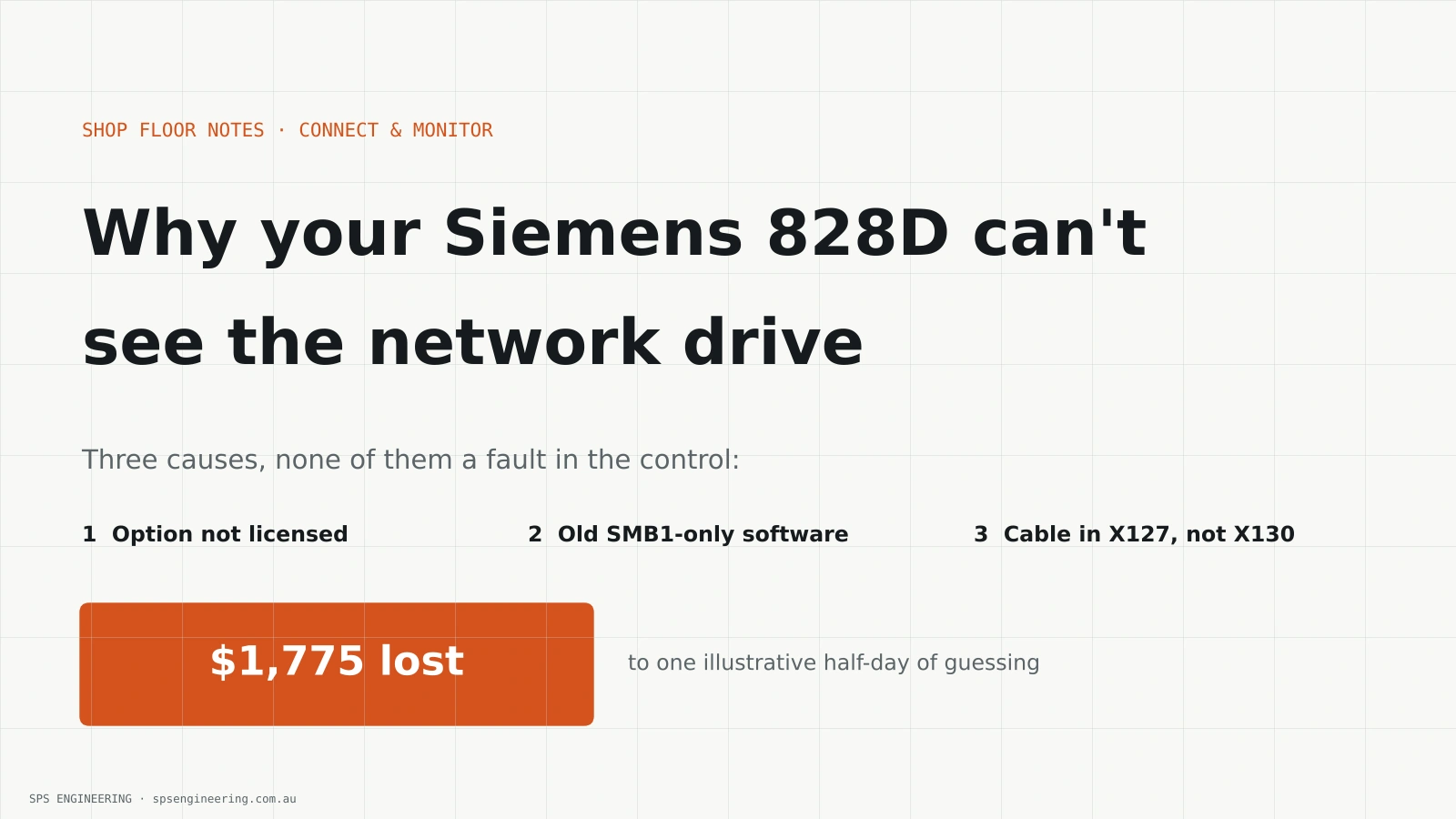
You have done the sensible thing. The workshop has a network, there is a shared folder on the server with all the programs in it, and the Siemens 828D is sitting right there with an Ethernet port on the back. Someone plugs it in, types the server path into the control, presses Activate drive, and gets nothing. Or worse, the office internet drops for an hour and nobody can work out why.
This is one of the most common networking jobs on a CNC shop floor, and it usually fails for one of three reasons. None of them are faults in the control. All three can be checked in a morning, before anyone buys a switch or spends a day guessing.
You are not the only one
The Siemens support forum has a steady run of the same questions. One 828D owner had a network share working for years from a Windows 7 PC, then upgraded the PC to Windows 10 and the control could no longer connect, even after following the Siemens networking guide step by step. An 840D sl user described the same thing: identical settings, new Windows 10 PC, no shared folder. The answer in that thread was to check whether an old Windows file sharing protocol was still switched on. Another user asked outright whether newer Sinumerik Operate versions still need that old protocol, because their IT policy had turned it off. Knowledge base articles also cover the 828D alarm that says the network drive option is not set.
Reason one: the option is not licensed
On the 828D, the ability to map a Windows network drive is a software option called Manage Network Drives. Some machine builders supply it with the machine. Many don't, because it costs extra and most buyers never ask for it.
If the option is missing, the control will show a message saying the option is not set when you try to activate the drive. It is easy to read that as a setup error and keep changing the path or password. It isn't. No amount of configuration will fix it.
Check the licence overview on the control first. It lists every option and whether it is active. If Manage Network Drives is not there, ask the machine builder or Siemens for a quote. The licence is tied to the control's serial number, so have that ready. Budget a few weeks for the key to arrive.
Reason two: the control only speaks an old version of Windows sharing
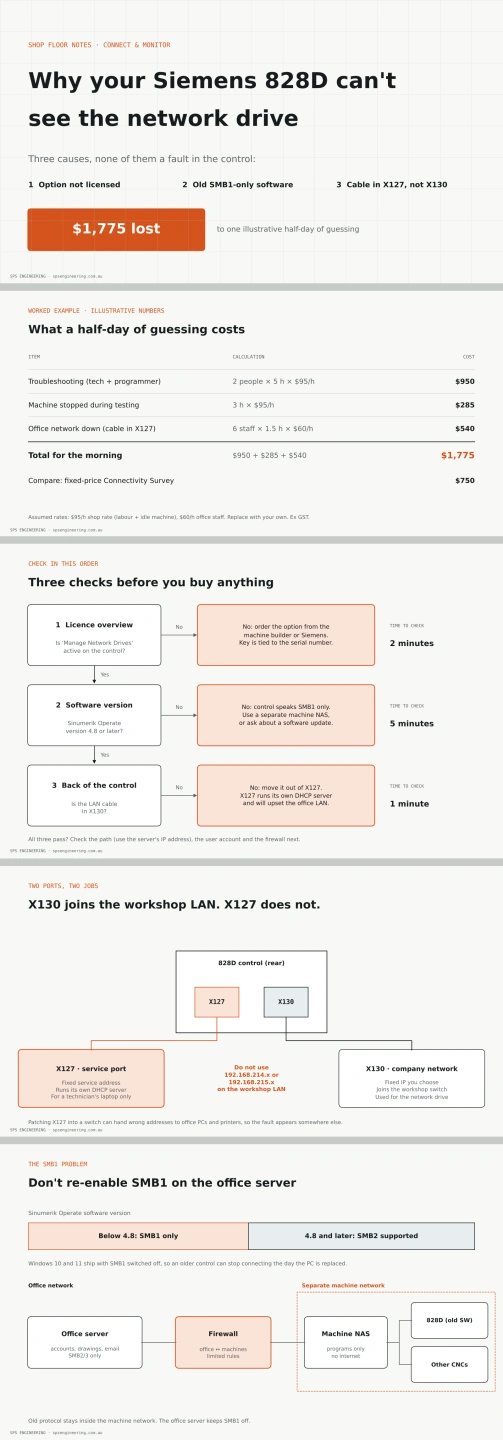
Windows file sharing uses a protocol called SMB. The first version, SMB1, is old and has well-known security holes, and Microsoft has switched it off by default in Windows 10 and Windows 11 for several years. Older Sinumerik Operate software, before version 4.8, can only talk SMB1. Version 4.8 and later can use SMB2.
So a control that worked happily with an old Windows 7 PC can stop working the day that PC is replaced, with nothing changed on the machine at all. That matches what people report on the forums.
The quick fix people find online is to turn SMB1 back on in the office server. Please don't do that on a server that also holds your accounts, drawings and email. It reopens exactly the hole that ransomware has used to spread through whole companies.
There are two safer options. The first is to ask the machine builder whether the control can be updated to a software version that supports SMB2. The second, often cheaper and quicker, is to give the CNC machines their own small file server or NAS on a separate machine network, set to the oldest protocol the controls need, with no internet access and a firewall between it and the office. The office server stays secure, and the machines get what they need.
Reason three: the cable is in the wrong port
The back of the 828D has two Ethernet ports, and they do very different jobs. X130 is the company network port. It is the one meant to join your workshop LAN, and you set its IP address and subnet mask on the control.
X127 is the service port. It is designed for a technician's laptop plugged in directly, so it has a fixed address and runs its own DHCP server to hand an address to that laptop. Patch X127 into your network switch and it will start handing out addresses to anything that asks, including office PCs and printers. Those devices end up on the wrong subnet, lose the internet and shared drives, and the fault looks like it is somewhere else entirely.
Siemens also reserves the 192.168.214 and 192.168.215 address ranges for the control's internal use. Don't use either of them for your workshop network.
What a half-day of guessing costs
Here is an illustrative example. Two people, say a maintenance tech and a programmer, spend 5 hours each trying paths, passwords and cables. At a shop rate of $95 an hour, that is 2 times 5 times $95, or $950. The machine is stopped for 3 of those hours while they test at the control, which is another 3 times $95, or $285. Then the cable goes into X127 for a while, and six office staff lose their network for an hour and a half. At $60 an hour, that is 6 times 1.5 times $60, or $540.
Add them up and the morning has cost $1,775, and the drive still doesn't work if the option was never licensed. The worked example is in the image with this post. Swap in your own rates.
A sensible order of checks
Start with the licence overview, because it takes two minutes and decides whether anything else matters. Next, find the Sinumerik Operate software version on the control's version screen and write it down. If it is below 4.8, plan for SMB1 on a separate machine network, or ask about an update. Then look at the back of the control and confirm the cable is in X130, not X127. Give the control a fixed address outside the reserved ranges, use the server's IP address rather than its name in the path, and set up a dedicated user account on the server for the machines with access only to the programs folder.
Write all of this down for each machine: control type, software version, options, port, IP address and share path. When the next machine arrives, or the server is replaced, you will be glad you did.
Get it right the first time
SPS Engineering connects CNC machines, PLCs and plant equipment for WA manufacturers. A fixed-price $750 Connectivity Survey checks each control's options, software version and ports, designs a safe machine network, and gives you a fixed install quote. Find out more at spsengineering.com.au.
Parsa Sajedi is a Chartered Professional Engineer (CPEng, NER) based in Perth.